Receipts in. A straight answer out.
Know you are overspending before the month is over.
ExpenseGauge reads a receipt line by line, files every item where it belongs, and watches the pace. When a pocket is running high it says so in one sentence — not in a chart you have to interpret, and not four weeks too late.
No password. You sign in with a six-digit code sent to your email.
Half a minute
See it work before you sign up for anything.
Half a minute is enough to know whether this is for you. Or take the whole tour.
How it works
How it works: three steps, and you only do the first.
Or watch it instead — the tour goes through the whole thing, end to end.
Photograph the receipt
Creased, folded, photographed at an angle in bad light — that is the normal case, not the exception. ExpenseGauge reads the shop, the date, every line, the tax, the discounts and the total.
It files every item
Every item goes into a pocket of its own — groceries, eating out, household, transport. The items, not the receipt: one trip to a supermarket is usually three or four kinds of spending, and a total cannot tell you which. Correct one and it remembers; a shop it has met before is recognized the next time, and so is a product.
It tells you when a month is running high
Your books are not a filing cabinet. Once a pocket has a few months behind it, ExpenseGauge knows what a normal month looks like for you — and tells you when this one is not one.
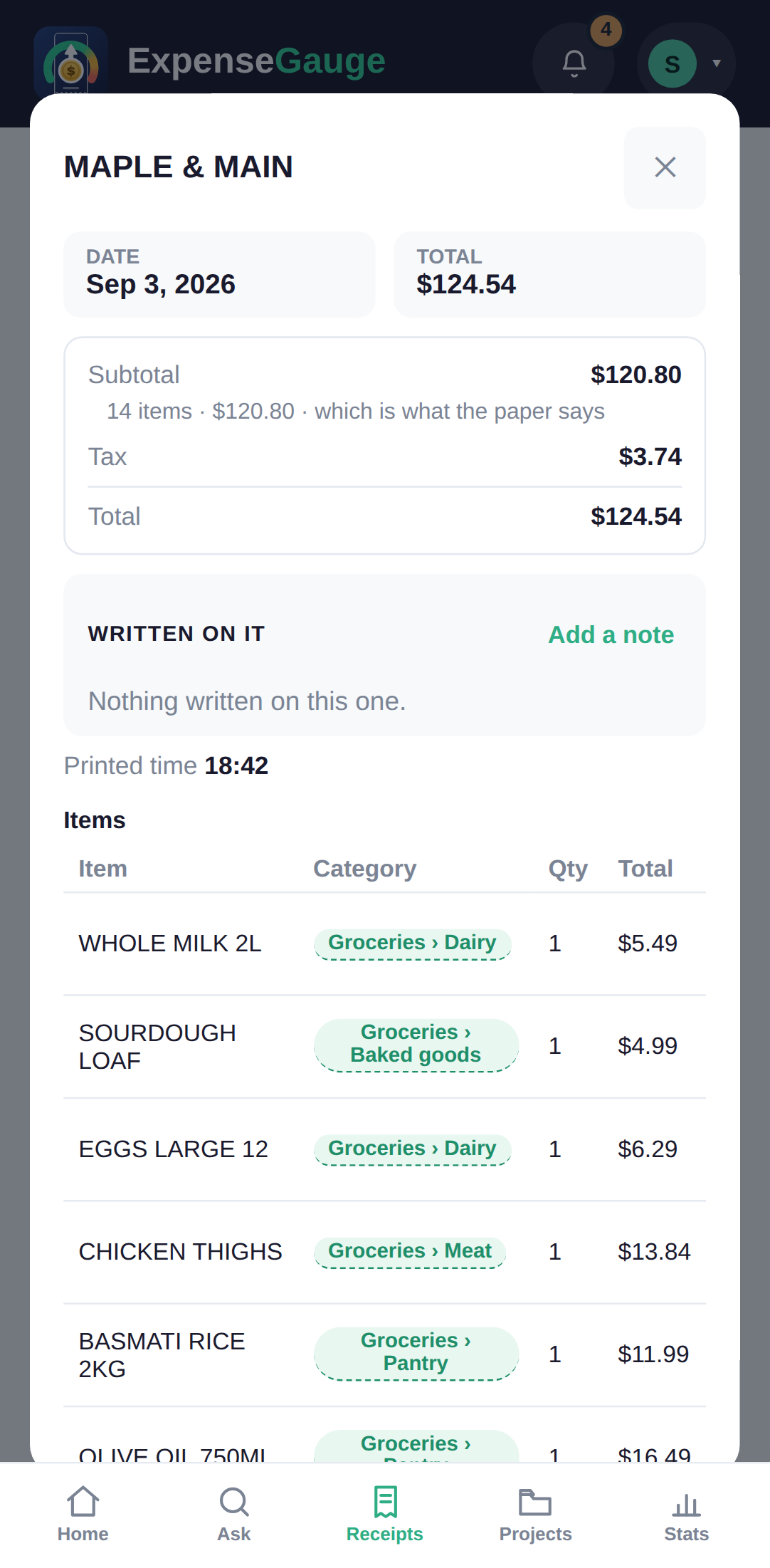
Every total is checked against the printed receipt. When the lines do not add up to what the shop charged, the app says so on the receipt instead of quietly hiding the difference.
The gauge
Not what you spent — whether that is a lot for you.
Two hundred dollars on groceries means nothing on its own. Against your own last three months, measured to the same day of the month, it means something — and that is the only comparison ExpenseGauge makes. Never an average household, never someone else’s budget.
If you have set a ceiling for a pocket, that is what it measures against. If you have not, it uses your own usual. If it has neither — a new pocket, a first month — it stays quiet rather than guessing.
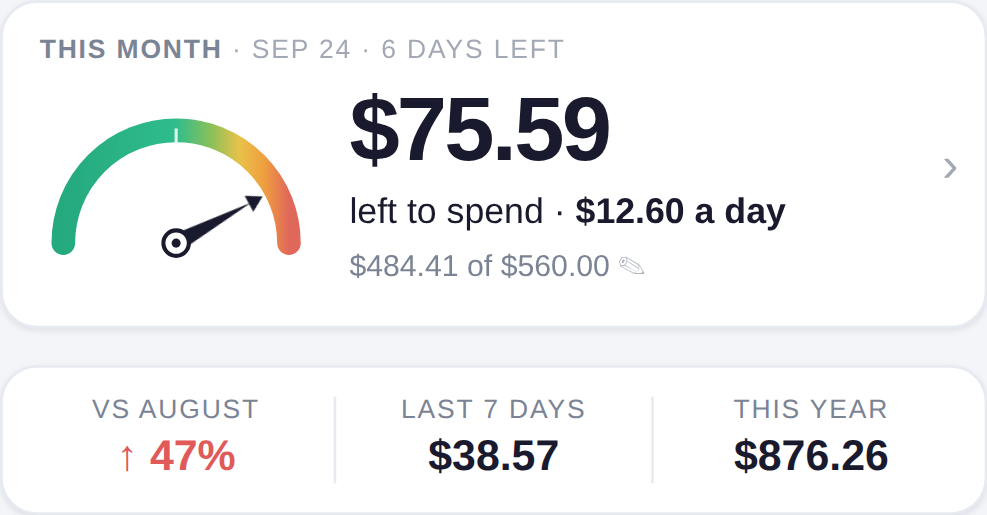
A twentieth over is not news, so nothing is said. Where the line sits between “a bit more than usual” and “worth telling you” is yours to move.
The rest of it
What else it handles.
Split with friends
Share a picture of who had what, item by item, with the totals worked out. Who has settled up is nobody else’s business, so it is not on the picture.
More than one currency
A trip does not reset your books. Receipts keep the currency they were printed in, and your home total still adds up.
Refunds and discounts
A returned item, a member price, a coupon on one line — these change what you actually spent, so they change what the gauge reads.
Your own names for your pockets
You name the pockets yourself. If you call it “the dog” rather than “pets”, the app learns to file into the dog.
On your phone
It installs from the browser and opens like any other app on the home screen. There is nothing to download from a store.
Take your books with you
Export everything — receipts, lines, categories — in a plain format any spreadsheet can open. Leaving is not a negotiation.
Plainly
Where your receipts are kept.
Nobody reads a privacy policy, so here is the short version. The same answers, at greater length and still in plain words, are on the page about what happens to your receipts. The policy itself is one click away.
Your receipts are read by a machine, not sold to one
Some features use Google’s Gemini AI, as a paid service. We send only what a feature needs, and none of it is used to train their AI. Nothing is used to advertise to you, and your books are never sold or shared.
No trackers, no advertising
There is one cookie and it is the one that keeps you signed in. No advertising networks, no analytics that follow you, and the typefaces on this page come from our own server rather than somebody else’s.
Stored in Finland
The server is in Helsinki. Payments are handled by Stripe, and card numbers never reach our server.
Start with one receipt.
Finding out costs nothing, and one receipt is enough.